
Our services are used by 700+ companies
We have installed over 9,000 devices
Special solutions based on the clients’ needs
Telemetry is not an objective in itself—it is one of the possible sources of work orders. The real value of measurement data is realized when it is used as input for operational planning.
Work orders are created in different ways depending on the company. In some cases, they are entered manually by customer service personnel, while in others they are received directly from the company’s ERP system. There are also business processes where work requirements are generated automatically based on measurement data collected from field devices.
A typical example is LPG distribution logistics. Tank fill levels are continuously monitored using telemetry, and the collected data is used to estimate when each tank will require its next refill. This creates a list of delivery requirements that serves as the basis for generating work orders for the following day or several days ahead.
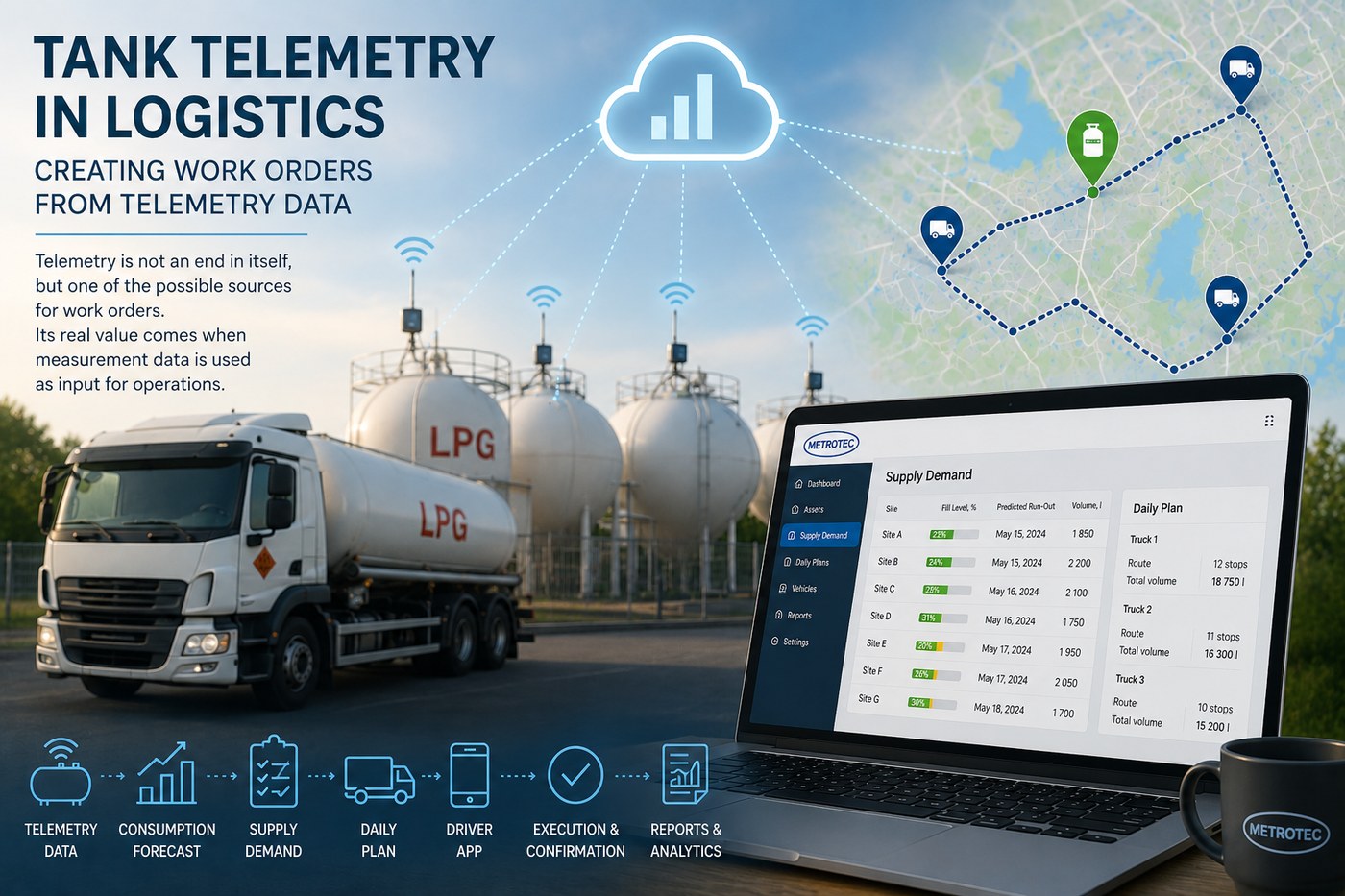
The LevelSense monitoring system continuously collects tank level data and stores its historical changes. Based on this history, the application calculates the average consumption of each location and predicts when the remaining product in the tank will reach a predefined critical level.
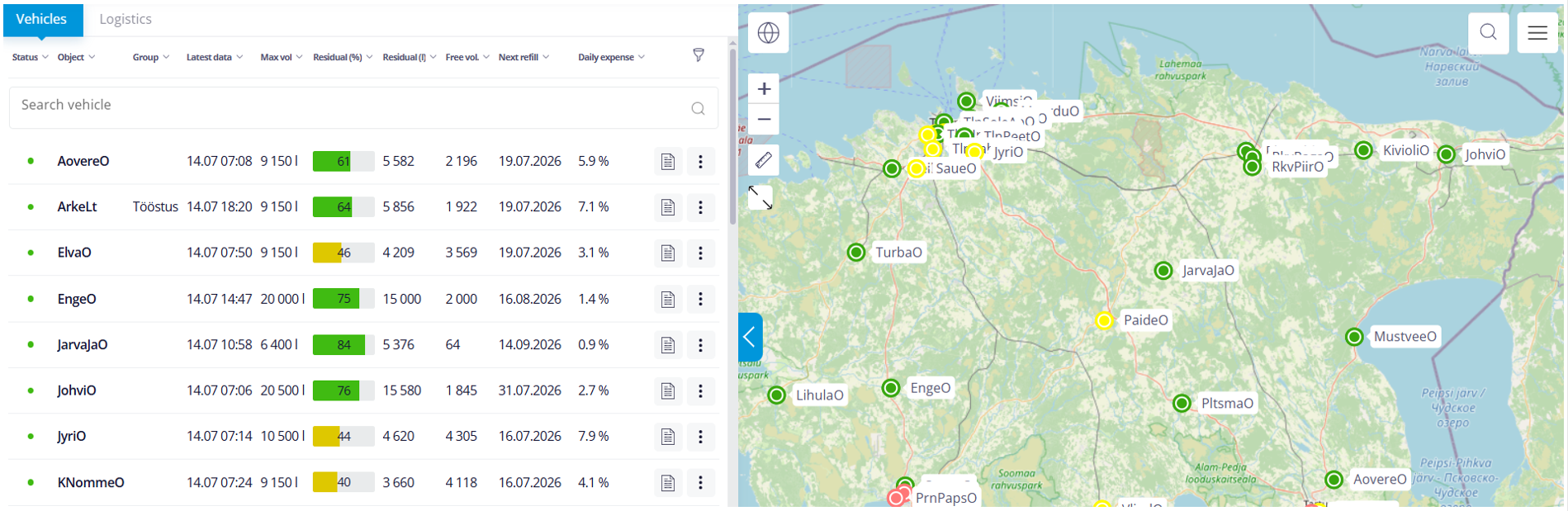
This approach enables deliveries to be planned several days in advance. Planning is therefore no longer based solely on the current fill level, but on an accurate prediction of when replenishment will actually become necessary.
The generated delivery requirement is not final. Before daily delivery schedules are created, the list can be reviewed and adjusted according to the actual operational situation. For example, servicing a particular customer may be postponed or temporarily removed from the schedule. Different products—such as propane, butane, and their mixtures—can also be handled separately to prevent incompatible deliveries from being combined.
Once the delivery requirement has been confirmed by defining the delivery date and the locations to be serviced, the available transport resources are assigned to the planning program.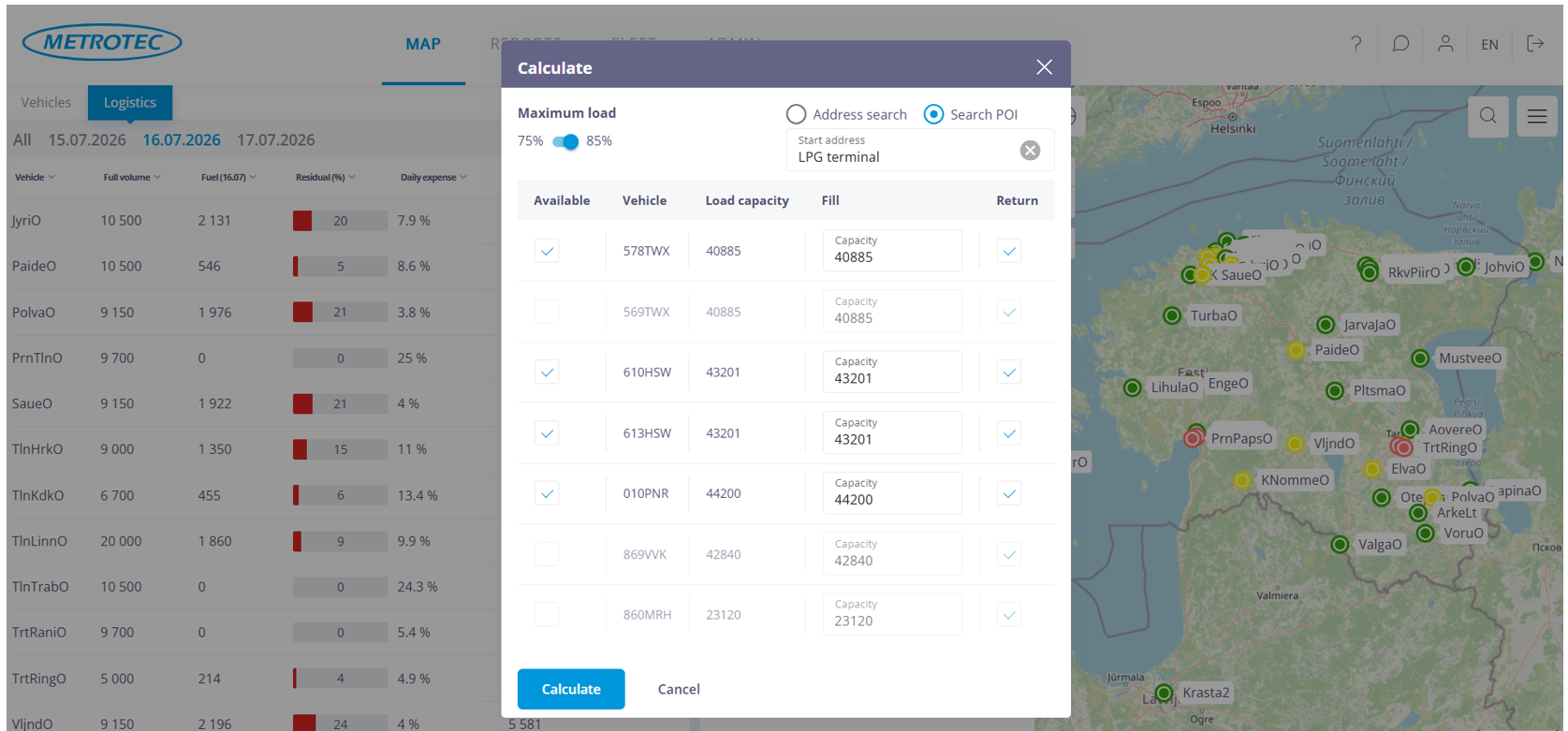
The system takes into account available vehicles, vehicle capacities, loading terminals, drivers’ working time restrictions, and other operational constraints that affect route planning.
Based on these parameters, the system generates a proposal for distributing deliveries between the available vehicles. Automatically generated routes are intended to support the logistics planner rather than replace their decisions.
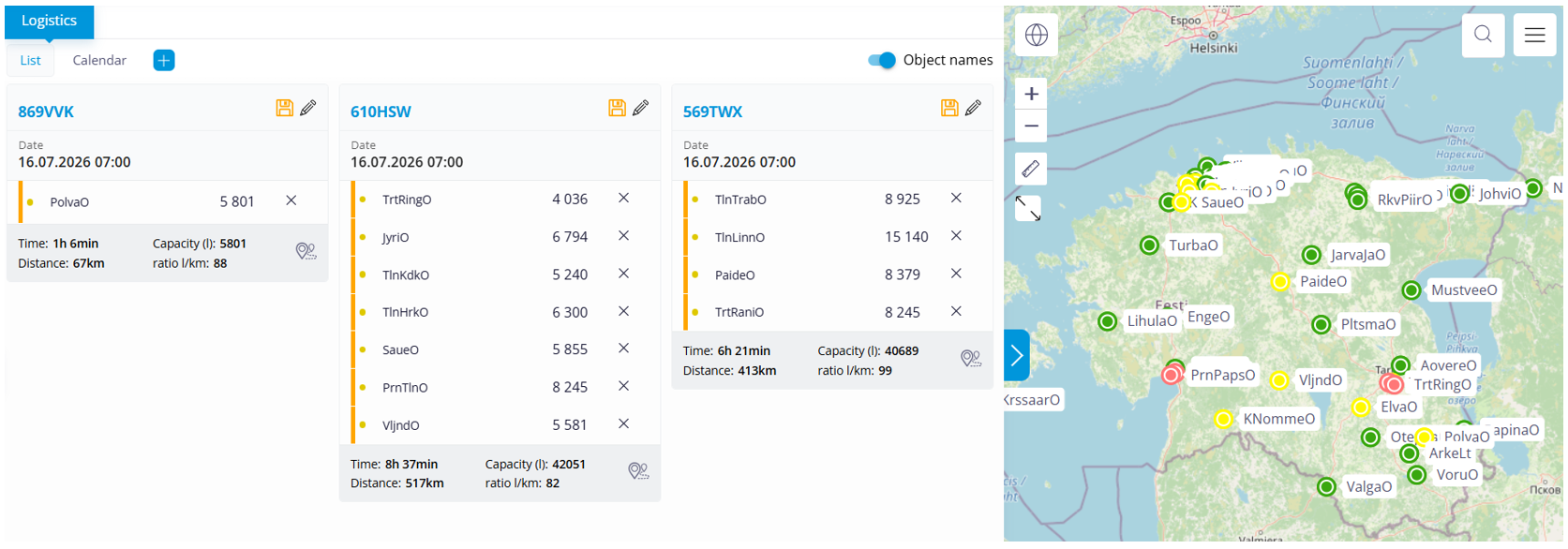
In practice, planners often make adjustments before releasing work orders. A delivery may be reassigned to another vehicle, several deliveries may be combined, or some may be postponed until the following day. Such modifications are a normal part of the planning process, and the system allows them to be made before the schedule is finalized.
The daily planning view allows the planner to verify that the proposed routes meet operational expectations.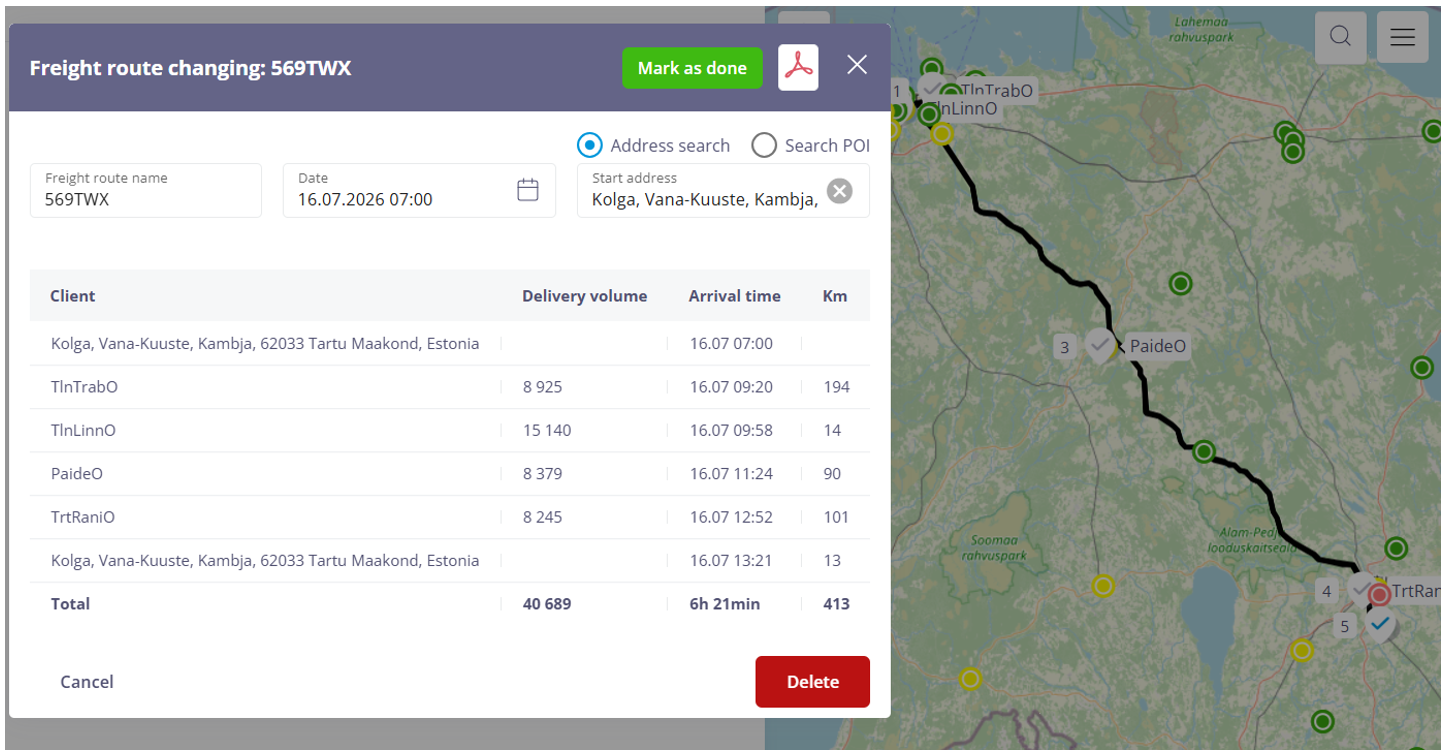 Routes, stop sequences, working hours, and delivery allocations can all be reviewed before work orders are released. If necessary, the delivery plan can be modified and recalculated.
This approach combines automated optimization with the practical experience of the logistics planner.
Creating work orders is only one step in the overall workflow.
Once the daily schedule has been approved, work orders are automatically transferred to the driver’s mobile application, where the driver can see the assigned tasks, the execution sequence, location details, and all information required to complete the work. During execution, the driver can update the work status, add notes, attach photographs or other evidence, and confirm task completion. Where required, a digital handover process can be used to document the completed work directly at the customer’s location.
All information collected during the delivery process is stored in a single system. It is later used for process monitoring, reporting, quality assurance, and integration with other business information systems.
Telemetry marks the beginning of the workflow. The same work order continues through the entire operational process—from automatic creation to execution, completion, and performance analysis.
The same workflow is suitable wherever work requirements are generated automatically from collected data. Sama töövoog sobib aga kõikjale, kus töövajadus tekib automaatselt kogutud andmete põhjal. The input may come from maintenance schedules, production equipment status, inventory levels, or any other information system.
Regardless of the source, the role of the Work Order module remains the same: to collect planning data, generate work orders automatically, and provide users with the opportunity to review and adjust them before they are released for execution.
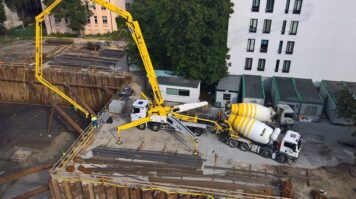
Rudus’ story began with mixers piling up at construction sites where dozens of loads were scheduled, but the customer was unable to receive the delivered concrete. The plant operates according to a fixed schedule, dispatching a new truck to the site every 10–15 minutes.
Read more
A work order citing a specific location and guidance is the first thing with any job. Only after it is in place can we start considering job performance and operational speed. Metrotec’s job management application links up the driver, the logistician, the customer and, where this is needed, also the accounting software.
Read moreIt is common sense that measures to improve efficiency should be based on careful measurement and analysis. First, the work or service process should be broken down into a succession of operating statuses. The breakdown, definition and number of statuses will be different in different cases. What is important is the timely recording of the status and of its duration.
Read more